Showing posts with label Ninja. Show all posts

Wednesday, 16 February 2011

Ninja Post #9 Animation Complete

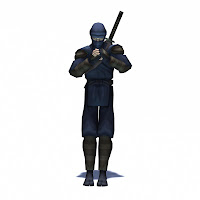
My Ninja model is now complete. The file is all neat and tidy and everything is tagged and named appropriately. I've uploaded it to turbosquid and you can now buy it as a Maya file Turbosquid have approved it as game ready.
I've also been working on some new vids to show it off on U-tube. This first one shows some of the Ninja animations stitched together. You can see the new sword attacks are done now.


The second one is a more nuts and bolts affair showing a complete list of all the animations, 48 in total.


I also did a few new renders. These show the kind of Ninja war I would like to put together. I need to get some more work at the moment so this might need to go on the back burner unfortunately, unless I can squeeze some money out of it.


 I have been nosing around Turbosquid for a few days now, but just when I was ready to upload, they went and got them selves a nasty virus. It's all sorted now and you can see my model there if you click this link.


Turbosquid is one of the main places where you can buy digital models online. Everything from scantily clad ladies to heavily armoured tanks, and a fair few Ninjas an all. To that end I've been writing user guides, making help images and trying to make things as user friendly as I can.

Lastly hello to my new readers, thanks for following the blog. I can promise a varied mix of digital art, this however, may be the end of the Ninja chapter.
 

Thursday, 13 January 2011

Ninja Post #8 Ninja animation

 Here is the Ninja animation set so far. There are still some more animations needed, like the sword attack animations and all the hit reaction stuff. I'm considering doing some get up animations so that the Ninja can be knocked down and get back up, at the moment if he gets knocked down that's it he's dead. The clip is a quick Maya playblast not rendered. I will do a proper render when I get closer to finished.


If your wondering about the colour change it's just a variant I fancied a change so have been working with the red Ninja today there's also a green Ninja too. It's all in preparation for the Ninja war I'm still planning on putting together. I did a couple of the Knockdown/death anims to day planning on doing some more tomorrow.

Tuesday, 11 January 2011

Ninja Post #7 Texture Mapping

I've been working on my texture map for my Ninja. The first step was to UV map the model. UV mapping is a bit like backward engineering your model so that you end up with a flat template that if folded and bent in the right places would create a paper model of your character, it's also a bit like a dress makers pattern I suppose. The basic principle is to take a 2d image and wrap it round a 3d cg model.
Above you can see the finished map with a transparent wire frame overlay showing the position of the UVs. It's quite a time consuming and mind bending process to get the 3d model into a flattened state like this. In a similar way to working with a pattern for a dress or suit you get seams with UV mapping and it can be difficult to hide these seams where the characters geometry is split into sections as they form the join between different painted areas of the texture. It can lead to a patchwork effect if your not careful. The U and V of UV represent the 2 dimensions of the map, U for horizontal and V for vertical.
Most 3d software like Maya or 3d studio Max come with mapping tools such as Planar Mapping or Cylindrical Mapping. These tools help you lay out a 2d flattened map of your character that you can then take into photoshop and paint. The painted image is then saved as an image file like a jpeg or targa that can then be applied to the model. Above you can see the first steps I took after finishing my map. I started by blocking in the basic base colours.
 The above image here shows a slightly later version of the texture where I've sketched in more detail and started to put in in some highlights and shadows. Below is the finished texture on the model in bind pose. The texture was all hand painted using a digital tablet and Photoshop.
 Here are some more renders of the textured Ninja model in different poses from the animation set I'm working on. I 'm still hoping to use this model in a Ninja rampage where Ninja factions engage in a manic Ninja war with plenty of back flipping, somersaulting and shuriken chucking.


I'm pretty happy with how that turned out, if you want to see any of the images larger just click on them. When I get a chance I will post up some more animation progress.

Tuesday, 30 November 2010

Ninja Post #6

Ninja update!
I've been working on the animations and I'm posting up some clips. The first one is the sword draw and idle with sword.


This next one shows the shuriken throw and a forward sumersault. There are quite a few more done, I'm thinking of patching together a Ninja battle when I have enough of the set done. Probably blue Ninja versus red which brings up the other missing ingredient, theres still the UV mapping to do (he needs painting).
 

Friday, 29 October 2010

Ninja Post #5

My ninja is ready for animation. It was more tricky than i expected, I had quite a lot of trouble setting it up so that the ninja can take out his sword and have both arms follow the sword and then put it back in the scabbard and have it attach to that, and function as normal.

It involved a technique called space switching or dynamic parenting which was horribly technical and after quite a lot of time spent I came to the conclusion I could'nt get it to work with out using scripts. I need to avoid scripts so I ended up cheating. Now the ninja has two swords one in the scabbard and one in his hand and I just swap between them. I did a quick test but it's too ugly to put up here. Once I've spent the time to make a nice animation of it I'll post it up. In the meantime here's a clip showing the model skinned and rigged doing an idle animation.


Also I've been doing some research looking at somersaults, backflips and martial arts. I put in "ninja moves" as a U-Tube search and found this top clip.

Monday, 18 October 2010

Ninja Post #4

Have done a few tweaks got rid of the holes and added the sword. I will be working on skinning and rigging next to see if I need to alter my mesh. Skinning is the process of adding a skeleton to the model and attaching the mesh so it moves correctly with the skeleton. This can lead to problems meaning the wire frame model needs to be altered so that it works better with the skeleton. Rigging is the process of making the skeleton easy to interface for an animator, so that he can work comfortably with the model. So lots of technical messing about on it's way for me. Sometimes it makes me want to throw the computer out the window, but if I do a good job of it, it will make animating the model much easier.


My ninja is currently around the 3100 polys mark (tris).

Friday, 15 October 2010

Ninja Post #3

Ninja production is progressing. Sword still to come and some other details to go in like his belt.


Still lots of tweaking to do. There are some holes in the mesh and I will need to go through the whole skinning process before I start with textures. No point UV mapping and then finding the mesh needs changing.

Wednesday, 13 October 2010

Ninja Post #2

I've been working on my Ninja model, and I've started with the head and hands as this is usualy the most work. I'm aiming for no more than 4000 polygons hopefully I can get it lower. At the moment the hands are quite high which I might have to change.

I'm quite happy with the way the hands are looking, games characters often have pretty awful boxy looking mittens so it would be nice if I can avoid chopping too many polys out.

Tomorrow I will probably start with the feet and then hopefully get the rest at least started. I will probably leave the sword till last as it should be easy but also satisfying.

Tuesday, 12 October 2010

Ninja post #1

 I've decided to start work on a new character and decided to go for the old tried and tested Ninja. A stock badguy for many arcade and console games over the years. I've started by doing some research and doing some drawing to get an idea of what I'm aiming for.

The plan is to get a rigged and textured version together, and then do an in game set for my showreel. I think these two are about the best of the sketches so I will be working towards a Ninja that looks like this. I will post up my progress here so you can see how I get along.