Showing posts with label game. Show all posts

Sunday, 28 April 2013

Cyber Punk Shoot Out


Cyber Punk Title

Cyber Punk gets zapped with a red laser


Cyber Punk lets em have it

Cyber Punk has bought the farm

Zap zap pew pew pew kaboom arrrrrrrgh! It's time to shine up your laser cannon and make sure the batteries are charged! Those crazy cyber punks are having a proper shoot out and it doesn't look like they're planning to quit till things get crispy.

I have been saying that I was going to post this video for months and now I have finally got round to it. Would you believe the only thing stopping me was that I needed to do the screen grabs you see above? Well I finally got my act together. I am feeling a bit burnt out today working on a set of animations for my current project. I am working on a really cool game at the moment that as usual I can't talk about (I think saying that it's cool and something I've always wanted to work on is allowed).

I finished making this video months ago but I still remember how much of a pain in the ass the rendering program Mental Ray was. I got this horrible error message when I tried to use motion blur "shapes are not equivalent, no motion vectors computed". It took me quite a lot of fiddling about to get it to work. It seems it's one of those errors where you find lots of dead ends when trying to search for a solution online. I wasn't prepared to give up on having motion blur, it seems like a basic right that no animator should be denied so I persevered. It can be as simple as deleting history from a model but in this case it was because I was animating visibility, so be warned. I still find it utterly ridiculous that Mental Ray can't cope with animating the visibility channel. A very basic and useful technique that I've been using for years.

The video pretty much speaks for itself, lots of crazy punks with laser guns blow the crap out of each other. Enjoy!


Wednesday, 8 February 2012

Orc Warrior #6 animation complete

I've completed the animation set for the Orc Warrior model and he is now available to buy on TurboSquid. The renders are from the product page and there is also a 360 revolve of the Orc model on the TurboSquid product page. I think he looks down right Orcy and fulfills all agenda necessary to be counted a thoroughbred green-skin. He now has a full set of animation brimming with "Orcy know whats" and low brow aplomb.


It's been a fun model to work on. I've learned more about texturing from the Orc and I'm happy with how he turned out. I always prefer to animate characters who have some character and for some reason, I prefer lumbering brutes to more agile, graceful characters. I put a combo attack on The Orc which was fun to do. There's a mildly Street Fighter-esque twist which you might spot, something a bit more Blanka would probably have been more appropriate.

I have to admit I always wanted to build an Orc, I used to draw them in the back of my school exercise books instead of doing any work. I thought working in the games industry it was bound to come up at some point, but in the end I had to take things into my own hands......ho hum mission accomplished, better late than never.

I put together a complete list of the animations shown from the Maya work window, very much a case of what you see is what you get (Maya is the program I built the Orc in). Rendering the animations with proper lighting, motion blur etc will give much better results but I wanted to show that this model will run very well in real time. This is down to the low poly count. There are 47 animations total which makes the Orc Warrior a good solid games character with plenty of scope.

Maybe a project for the future will be Orc versus Ninja with a nice polished render.


 List of animations as shown in the clip:


20-56           Orc Warrior Walk
70-109         Orc Warrior Combat Idle
120-148       Orc Warrior Run
160-190       Orc Warrior Attack 1 Heavy Overhead Strike
200-231       Orc Warrior Attack 2 Heavy Cross Slash
240-266       Orc Warrior Attack 3 Shield Charge
280-313       Orc Warrior Death 1
330-353       Orc Warrior Death 2
360-379       Orc Warrior Strafe Right
400-419       Orc Warrior Strafe Left
430-454       Orc Warrior Jump forwards
480-503       Orc Warrior Dodge Right
520-543       Orc Warrior Dodge Left
560-569       Orc Warrior Fall
600-610       Orc Warrior Land
620-625       Orc Warrior Shield Up
630-635       Orc Warrior Shield Idle
640-645       Orc Warrior Shield Hit Block
650-658       Orc Warrior Shield Down
670-675       Orc Warrior Small Hit Reaction Front
680-685       Orc Warrior Small Hit Reaction Left
690-695       Orc Warrior Small Hit Reaction Right
700-705       Orc Warrior Small Hit Reaction Back
710-715       Orc Warrior Small Hit Reaction Mid
730-740       Orc Warrior Big Hit Reaction Front
750-760       Orc Warrior Big Hit Reaction Left
770-780       Orc Warrior Big Hit Reaction Right
790-800       Orc Warrior Big Hit Reaction Back
810-820       Orc Warrior Big Hit Reaction Mid
830-859       Orc Warrior Combat Walk Forward
920-949       Orc Warrior Combat Walk Back
970-980       Orc Warrior Combat Turn On Spot Left
990-1000     Orc Warrior Combat Turn On Spot Right
1020-1080   Orc Warrior Guard Stance 2
1080-1110    Orc Warrior Guard Stance 2 to Guard Stance 1
1110-1170    Orc Warrior Guard Stance 1
1170-1200    Orc Warrior Guard Stance 1 to Guard Stance 2
1220-1270     Orc Warrior Taunt/Roar
1280-1312     Orc Warrior Attack 4 Upwards Strike
1320-1350     Orc Warrior Attack 5 downwards chop
1370-1410    Orc Warrior  2 hit combo
1430-1485     Orc Warrior  3 hit combo
1500-1530     Orc Warrior Combat Stance To Guard 1
1540-1555     Orc Warrior Guard Turn On Spot Left
1570-1585     Orc Warrior Guard Turn On Spot Right
1590-1597    Orc Warrior Into Combat Stance
1610-1634    Orc Warrior Jump On Spot

For more details and specs for this model please visit the Orc Warrior product page.

So..........what to do next? well I've been thinking it's about time my short film Space Temple went online, so it will shortly be arriving here.

Thursday, 5 January 2012

Orc Warrior #5 UV map and textures

I'm Bringing in the new year with bump maps... Is it supposed to be a stranger with a lump of coal? oh well bump maps is what I've got.
On the left is the model with just the colour map, on the right is the bump map and specular (specular is what makes things shiny as opposed to matt). Below you can see some screen grabs from Maya to give an idea of how I did it, right top is the Orc cut into pieces. You don't have to cut the model up but I find it easier rather than dealing with it all in one lump. On the left top is a very early screen grab of the basic colours on the model after I had finished the UV mapping. I spend a while messing around with basic colour schemes in the early stages.

Below that you can see the model textured in Maya with the wire frame showing, and to the right the box with the spider web of flattened geometry is the UV or texture map.


The UV map is always a head ache for me. If you look in the top left corner of the map you can probably make out the Orcs face looking like it's been ironed flat. In the bottom right is his shield. UV mapping shields is much easier than Orc faces, when I'm texture mapping I some times wish everything was flat.

So after chopping my Orc up, mapping him, painting him and bumping him I got the textured Orc you see waving their axes around.

I'm currently working through the animation list, below is the Orc run cycle.


Happy new year to all my readers and thanks for all your visits and comments.

Friday, 30 December 2011

Orc Warrior #4 skinning and rigging

Back with the low poly Orc and I've skinned and rigged the blighter as promised. Below you can see the model in his stand pose, to the right you can see the underlying skeleton. The skeleton is what drives the animation, you assign parts of the poly mesh to the skeleton, so the head joint drives the head.

The next step is to rigg the character, the rigg is a set of controls that drive the skeleton. The controls need to be easy to work with, often one control will drive a set of joints like a leg for example.

After setting up the rigg I did a couple of animations, a walk cycle and an idle. The idle will be for the combat animations, I'm considering having a more relaxed idle that might be used for guard duty maybe with a conversation anim so Orcs can stand around shooting the breeze if wanted. Of course this may all be just idle talk that I wont get round to (crap joke intended). Anyway you can see the anims in the clip below.


I will be posting renders next and UV mapping goodness with bump maps specular and all the usual. I's all underway and will be with you next week, provided nothing else comes up (I was recently kidnapped by gnomes true story!). Below is a sneaky peek of early work in progress.

Grrrrr

Thursday, 20 October 2011

Orc Warrior #3 Poly Model

I've been working on the poly mesh for the Orc warrior model. The goal here is to create the orc in a bind pose that will deform well when I apply the skeleton. The other thing to keep in mind is I need to keep the poly count low. If the poly count is too high the model becomes unsuitable for games. The Ninja that I did previously came in at just over 3000 polygons so I will aim for around the same for the orc.

I decided to show more of my work process as I did with the concept for the orc. On the left here you can see how I put together the orcs head. With poly modeling I start with a basic geometric shape, for the head a cylinder with 8 sides. The trick is to do as much as possible with as little as possible.

Its very tempting to get right into the mesh and start modeling wrinkles and eye lids, but for most games it's a waste of time because you don't get close enough to the model to see this level of detail. For the most part you can create the fine details with the texture map and bump map ( you can see good examples of texture and bump maps in my chest mimic model).

When I first started in games we hadn't grasped this and I think most of our character models had around 1000 polygons spent just on the head. The game was a first person shooter (Timesplitters) and you just never got close enough to the characters to see all that carefully sculpted detail. Other characters were too busy running around shooting you in your pretty head.


.......unfortunately for the body I somewhat forgot about showing my process. Those pesky polygons have a habit of taking my focus and making me forget about keeping snap shots. You can still see my working here, as with the head I've used cylinders as the starting point and then pulled the mesh points around.

This is the base mesh for the orc. I've kept this so I can make variants. The leather armour version is going to be the first version.


Above is the orc warrior in leather armour ready for his skeleton and bind. I've given him a basic axe and shield. He currently comes in at 2500 polygons, so less than the Ninja. I have already put the skeleton in and got the mesh deforming. I still need to add the controls and rigg for animation. Once I am happy with the way the character moves and the skin deforms I will start the paint job and get my UV mapping head on. It's a mistake to UV map before you know the model is going to work for animation. This is because a poly mesh will always need tweaks so that it deforms properly with it's skeleton. If you have UV mapped first, tweaks are going to make a pigs ear of it.

In my next post I will show the skeleton and rigg and probably a test orc animation. There might even be a bit of colour if I get on to the textures.
.

Thursday, 22 September 2011

Game Sprites

Here is a sneaky peek at the project I've just been working on. I recently finished working on my first sprite project and I loved it!. My client kindly gave me permission to show a couple of the characters here. I can't give anything away about game play or other details at the moment, but once it's released I will post links to where you can get a copy.
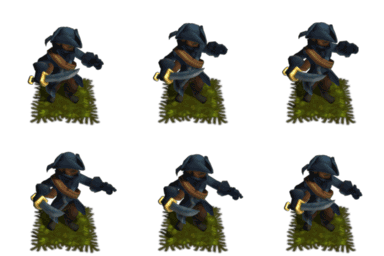
The bandit character playing an idle.

It felt like working on a proper game as all the games I used to play were 16 bit. By the time I was working in games it had all gone 3d. I have stuck to what I know, so as you can see, my sprites are 3d models that are rendered. What I've done is tried to inject all my happy memories of super nintendo carts and arcadey goodness into this project.


The difference is, because everything is rendered image files for sprites, I had much less to worry about: does it render, does if fit in the frame? job done. I've done bug fixing for games I've worked on in the past, (all 3d,) and  there is a lot more that can go wrong with a 3d model. Textures, poly mesh, riggs and animation can all have bugs.
This is the Bandit character. A simple mesh with cartoony proportions.

Sprite design was also great fun, because your dealing with something that needs to be recognisable at a very small scale, you can create very broad archetypal characters. They were great fun to animate.

The guards armour was another fun job to build and animate.

There are loads more characters to show and I am looking forward to seeing this one published. In the meantime you can see the guard and bandit animated below.